
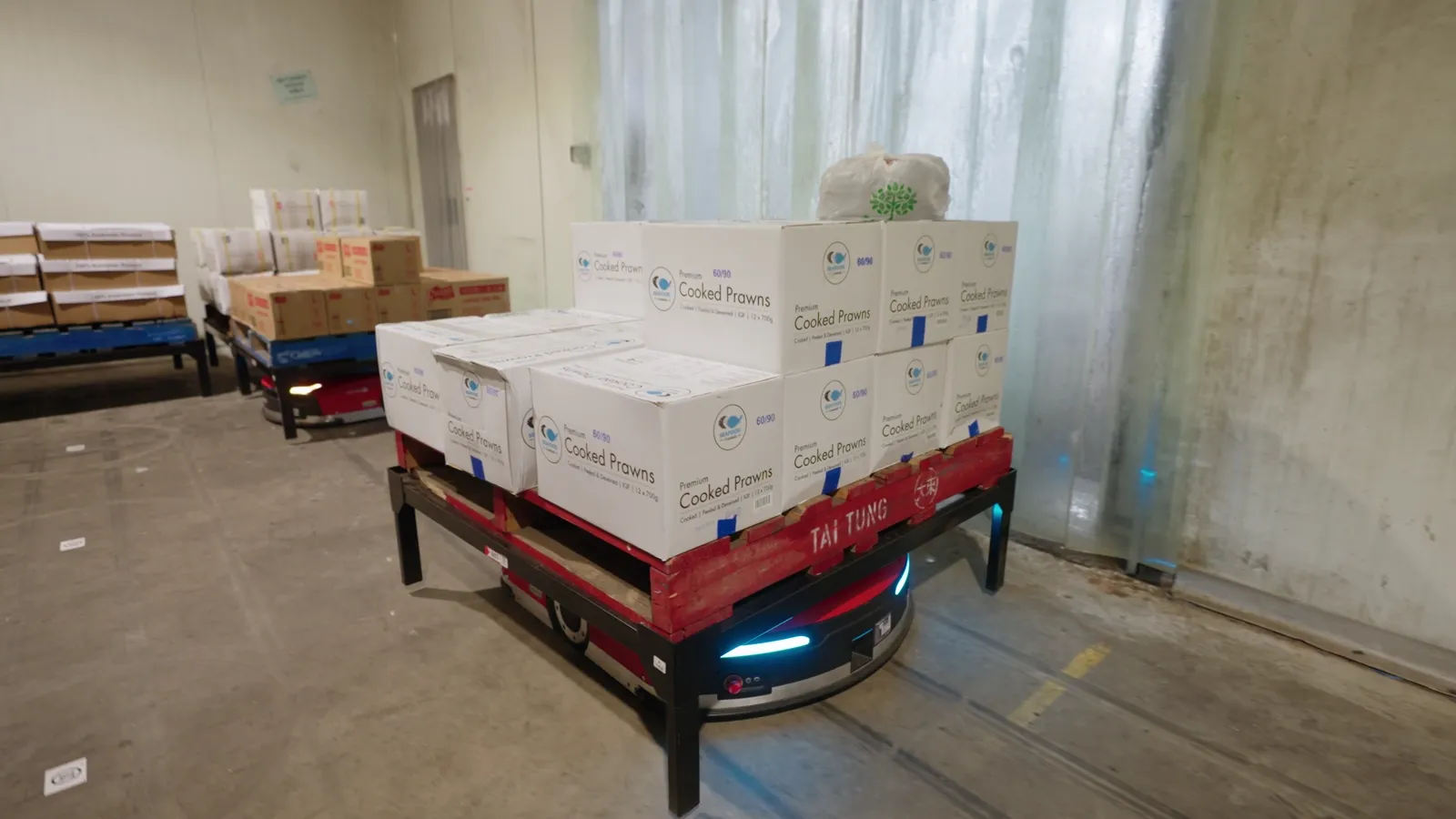
Taitung supplies Asian frozen and ambient food to cafes, commercial kitchens and food trucks from a site in Sydney. Its freezer-rated automation went live over a single weekend, inside a building that was already working. Monde Nissin, a food manufacturer and distributor, runs 44 T6-1200 robots across chilled and ambient stock with sequenced picking. Both are Mushiny sites, and both answer a question we hear often: can you automate a cold store without shutting it down?
The short answer is yes, and a shelf-to-person system is a common starting point. The longer answer is that cold changes some of the questions you need to ask before you sign. This article covers why a cold store is a hard place to keep people productive, what automation changes, what a brownfield install looks like, and the checks that are specific to a cold environment.
Why is a cold store such a hard place to keep people productive?
In a manual warehouse, about half of a picker's time goes on walking rather than picking. A cold store has the same walking, and it happens in the harshest working conditions on the site.
Every step costs more there than elsewhere. It is worth asking which parts of the job have to happen inside the cold, and which parts only happen there because that is where the stock is.
Walking is the part that automation removes most directly. The picking itself still needs a person.
What does automation change when people can stay out of the cold?
A goods-to-person system moves the stock to the person. In a shelf-to-person system a robot drives under a shelf pod, lifts it, and carries it to a picking station. Pods stand up to 2.7 metres tall, and there is no conveyor.
Two features of Mushiny's grid robots matter here. First, they navigate by QR markers on the floor and work inside a fenced area that people are kept out of. The markers tell each robot where it is. They do not tell it where to go. The robot still chooses its own route and negotiates with the other robots around it, but the obstacles are a known, fixed set: the racking, the pods and the other robots. Second, the picker works at a station on the outside of that area, not in the aisles.
So the design already separates people from the storage area. The robots do the travel and the people pick at stations. Whether the storage area is cold, and whether a station sits in a cold room or a warm one, is a layout decision you make with the engineers. It is the most important decision in a cold project, and it is on the checklist below.
Two other effects are worth noting.
Walking goes away. Mushiny puts the gain at up to four times the picking rate, measured against manual pick-and-walk lines per hour. Treat four times as the top of the range. The gain is largest where pickers currently cover long distances, and smallest where the pick face is already dense and compact.
Density goes up. Pods standing 2.7 metres tall add around 20 per cent more storage on the same floor. MIX Pro goes higher, with racking to 12 metres, totes 20 mm apart and aisles 900 mm wide. Getting more stock into the same footprint is often the strongest part of a business case when the space is expensive to build and run. We have no measured energy figure for cold sites, so we make no energy claim here.
What does a brownfield freezer install look like?
Most Mushiny systems are brownfield. They go into the building you already have. Goods-to-person deployments are typically commissioned in phases, and several Australian sites have gone live over a single weekend with no interruption to daily dispatch.
Taitung is the cold example. The system went in and went live over one weekend in a working building, with freezer-rated automation.
Monde Nissin shows a different shape of cold project. The 44 T6-1200 robots serve chilled and ambient stock together, with sequenced picking, so one fleet and one set of software covers more than one temperature.
Two points on what these sites do not prove. A weekend go-live describes the switch-over, and the preparation before it still takes planning. And neither site tells you what your own temperature, your own stock or your own doors will need. That is what the next section is for.
What do you need to confirm before committing to cold-store automation?
Cold changes what you need to check. It does not change how you size the system. Storage and speed get sized together. Enough pods and too few robots, and orders queue. Enough robots and too few pods, and you run out of places to put stock.
On top of that sizing, bring these questions to the first conversation. They are things to settle with Mushiny engineers for your site. They are not claims about any product.
| What to confirm | Why it matters in a cold site | What to bring |
|---|---|---|
| Your actual operating temperature | Equipment is rated to a stated range, and the range differs by system. Ask us for the rating of the exact system you are considering. | The coldest temperature your storage area really runs at, and how much it varies |
| The rated range of the exact system you are considering | The rating for one system does not carry across to another. | The system and model name, and the rated range in writing |
| Where people work | The grid keeps people out of the robot area. Where the stations sit decides how much time anyone spends in the cold. | A plan of which rooms are cold, and where picking and replenishment could happen |
| Temperature transitions | Robots, stock and people may move between zones. | Every door, dock and zone boundary the system crosses |
| Product and packaging | Frozen and chilled stock can arrive in different cartons, totes and pallets. | Dimensions, weights and pack types for your range |
| Floor and structure | The grid and any racking depend on the floor you have. | Floor surface and flatness information, and the building drawings |
| Charging and maintenance | Robots need to charge and be serviced. Because the robots act as a swarm, one robot stopping does not stop the rest. | Where charging and repair could sit, and who services the fleet |
| Systems integration | The robots take their jobs from your warehouse management system. | Which WMS you run, and the order and stock data it holds |
| Phasing | Phased commissioning is typical, and a weekend go-live is possible. | Your quietest windows and your dispatch cut-offs |
| Service response | Mushiny runs a 24/7 service hotline. | Your tolerance for downtime, by shift |
The ratings differ by system, and this is where a cold project is easiest to get wrong. MIX 4.0 runs 0 to 50 degrees Celsius as standard, with minus 20 available as an option. The T-series shelf-to-person robots carry the same rating: 0 to 50 standard, minus 20 optional. MIX Pro runs minus 5 to 50 degrees. So a freezer is an option you specify at order, not something any system does by default. Do not assume a rating carries from one system to another, and get the rating of the system you intend to buy in writing against your own measured temperature.
What do the robots need from your data?
The robots do not decide what to fetch. They go where the software tells them. A stock location that your system has wrong will still send a robot to fetch the wrong thing. If your location data is weak, fix it before the robots arrive and not after.
Which Mushiny system fits a cold operation?
All of them can run in a freezer. The question is what your stock looks like.
Most freezers hold bulky goods that move as cases or whole pallets, not as single picks out of a tote. That makes two systems the usual answer.
Shelf-to-person is the first choice. Pods carry cases and pallets, and a robot brings the whole pod out to a person standing in the warm. Taitung runs it on frozen and ambient food in Sydney. Monde Nissin runs 44 T6-1200 robots across chilled and ambient stock.
The 4-Way Shuttle suits sites that are pallets all the way down. It is rated from minus 25 to 40 degrees, so a frozen area runs the same design as the ambient part of the building, and it holds 1.3 to 4 times more pallets in the same floor. Ask us about it, as it does not have a page here yet.
MIX 4.0 and MIX Pro run cold too, if your stock suits totes. They are the answer when you hold many small lines rather than cases and pallets. MIX Pro is the one to reach for when you have run out of floor before you have run out of stock.
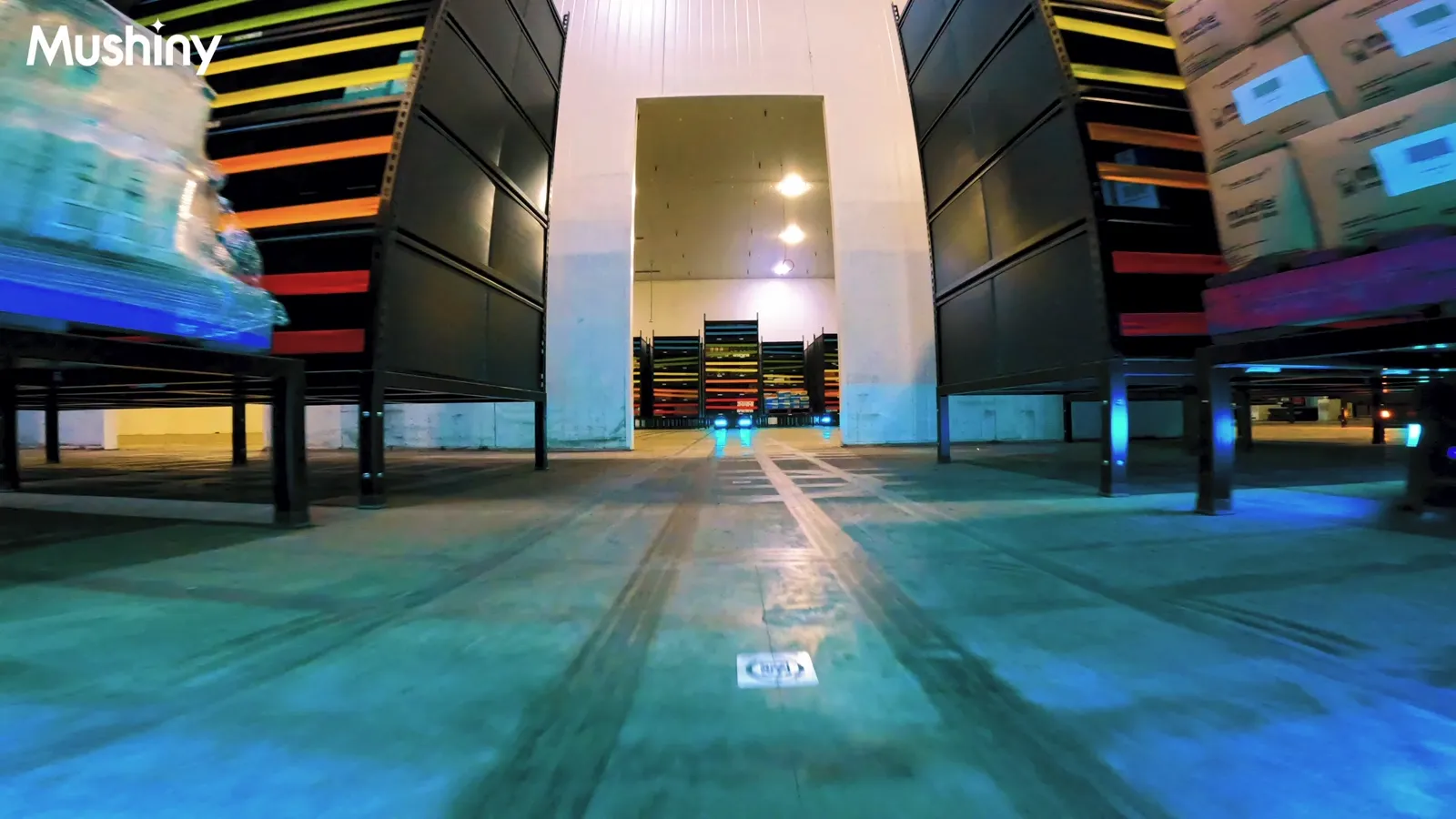
Match the system to your stock first, then confirm the temperature build. The references page lists the live sites.
What can the robots not do in a cold store?
The same limits apply as anywhere else. The robots carry stock. They do not pick, sort or pack. A person still picks at the station. If picking labour is your constraint, the system changes how much each picker gets done. It does not remove the picker.
They also do not help much where walking is not the problem. If your people are waiting on a dock or a pack bench, robots will feed that queue faster and not remove it. Measure where the time goes before you size anything.
How do you start?
Walk the floor for one shift with a stopwatch. Note how much of each person's time goes on travel, and how much of it is in the cold. Then bring your temperature, your range, your peak picks per hour and your WMS to a conversation. Leave the sizing to us.
You can also see the technology before you commit. The Chatswood Tech Centre is the only place in Australia with Mushiny's full range running live under one roof. You can run your own product through it, and it is free to visit. Enquire here.
Frequently asked questions
Can you automate a freezer without shutting the site down?
Yes. Most Mushiny systems are brownfield and go into the building you already occupy. Goods-to-person deployments are typically commissioned in phases, and several Australian sites have gone live over a single weekend with no interruption to daily dispatch. Taitung in Sydney did this with freezer-rated automation. Your own plan depends on your site, so the phasing is settled during design.
Does one system handle both chilled and ambient stock?
Yes. Monde Nissin in Australia runs 44 T6-1200 robots across chilled and ambient stock with sequenced picking, so one fleet and one set of software serves both. The T-series is rated 0 to 50 degrees Celsius as standard with minus 20 optional, so confirm which build you need against your real conditions.
Do people still have to work in the cold?
Mushiny's grid robots work inside a fenced area that people are kept out of, and the picker works at a station outside it. Where that station sits relative to your cold room is a layout decision, and it determines how much time anyone spends in the cold. Bring a plan of your rooms to the first conversation.
Does the temperature rating differ between Mushiny systems?
Yes. MIX 4.0 and the T-series shelf-to-person robots run 0 to 50 degrees Celsius as standard, with minus 20 available as an option. MIX Pro runs minus 5 to 50 degrees. A freezer build is therefore something you specify at order rather than a default, so get the rated range in writing for the exact system and compare it with the coldest temperature your storage area really reaches.
How do you size a system for a cold store?
Storage and speed get sized together, the same as at any site. Enough pods and too few robots, and orders queue. Enough robots and too few pods, and you run out of places to put stock. Send us your lines per picker per hour, your range and your peak picks per hour, and we will right-size it.
Is a cold operation too small to automate?
No. Mushiny has worked with businesses with five or fewer people in their current operation. Alloys runs five robots against 100 pods, and Munro runs 205 against 5,239. It is the same system sized to the operation, so starting small does not mean starting again later.
Bring your numbers
Send your order lines and your product dimensions to our engineers. We will work the maths out for you and give you the benefits case laid over your whole operation.
Talk to us →